
Test cases: General
How to run a scheduled task manually in Shopware?
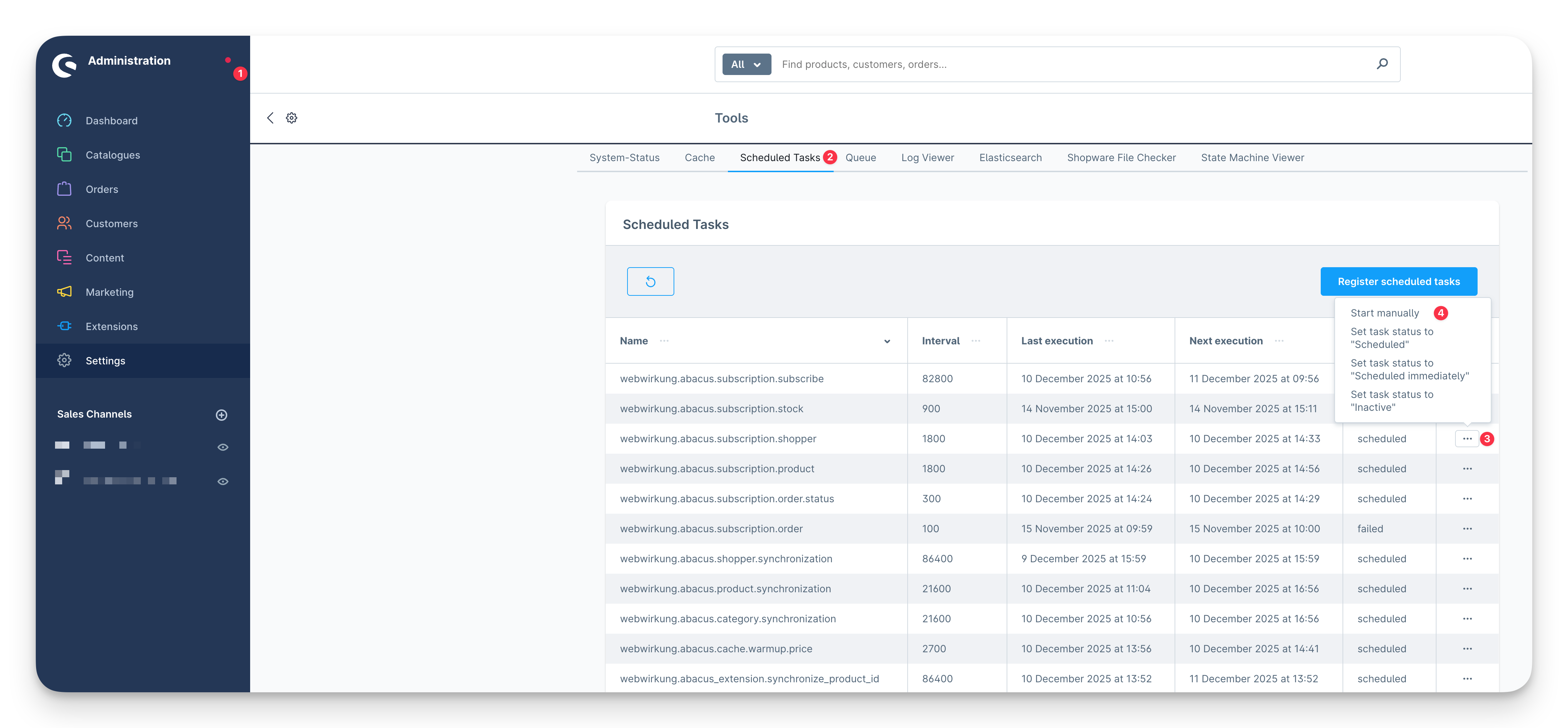
To see a list of all the scheduled tasks in the Shopware Administration, you need to install and activate the Tools Plugin.
- Click on the status dot in the Sidebar on the top by the Shopware Logo «Administration»
- Go to the tab «Scheduled Tasks»
- Find the task you want to run (e.g. webwirkung.abacus.subscription.shopper)
- Click on the three-dot button and run the task manually with click on «Start manually»
Of course you can also run the tasks via terminal then no plugin is needed.