
Syncing customers
We sync Abacus shoppers to Shopware customers.
Plugin configuration
In the plugin configuration, you can find settings for the customer synchronization. 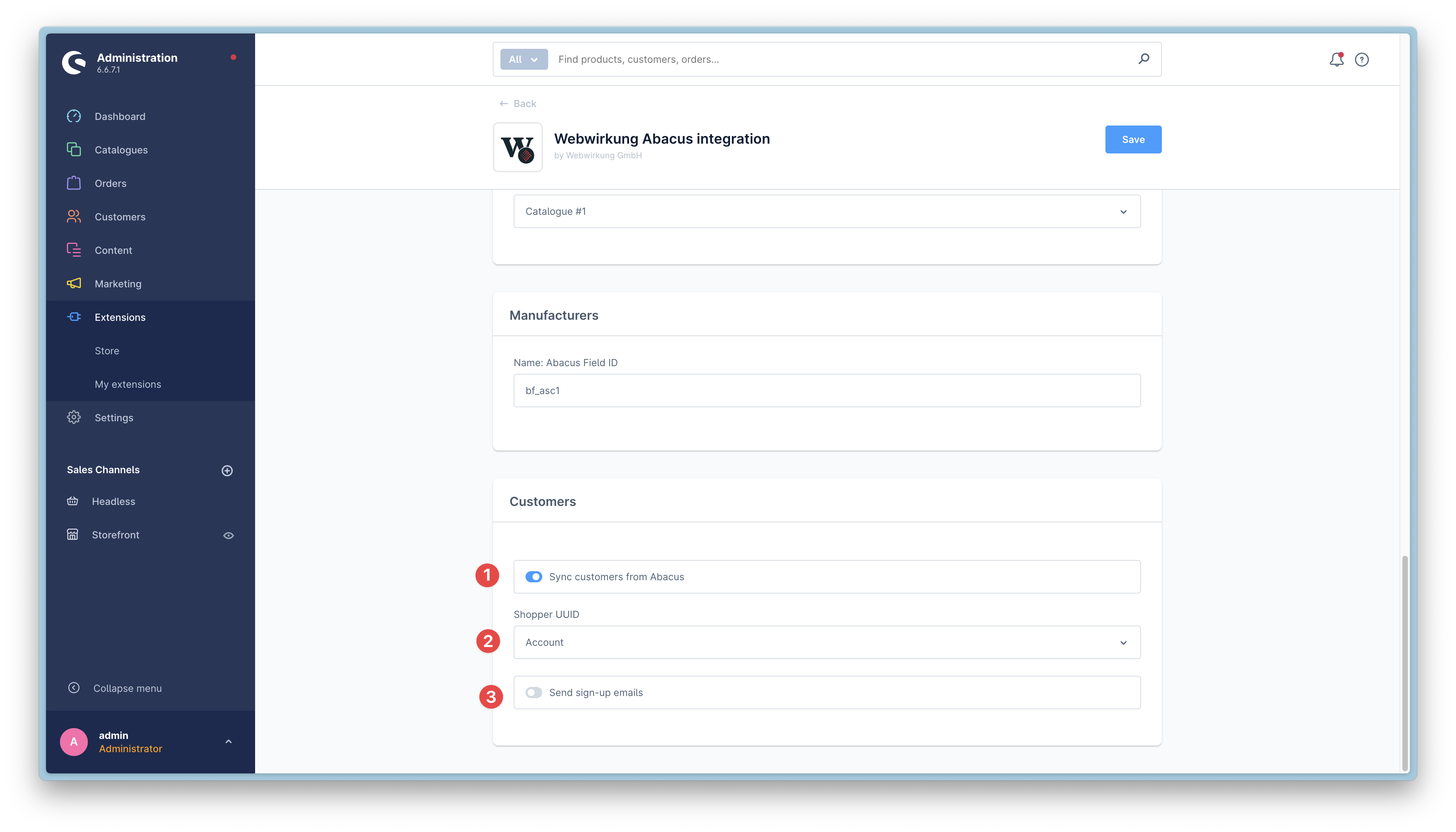
- The customer sync can be enabled or disabled
- With the "Shopper UUID" setting, you can choose between "Account" or "Email" to uniquely identify the shopper.
- "Account" is the recommended setting because only account is unique in Abacus
- "Email" will use the email address to identify the shopper (please note that it is possible that multiple shoppers have the same email address. We don't handle this case at the moment)
- Only enable this option if you want to send an email to the customer when the customer is created in Shopware. (Careful: this will send an email to all customers that are synced)
Abacus configuration
In the Abacus application settings (621), you can define a collective debtor for all guest orders. This debtor will be used for all guest orders that are created in Shopware. 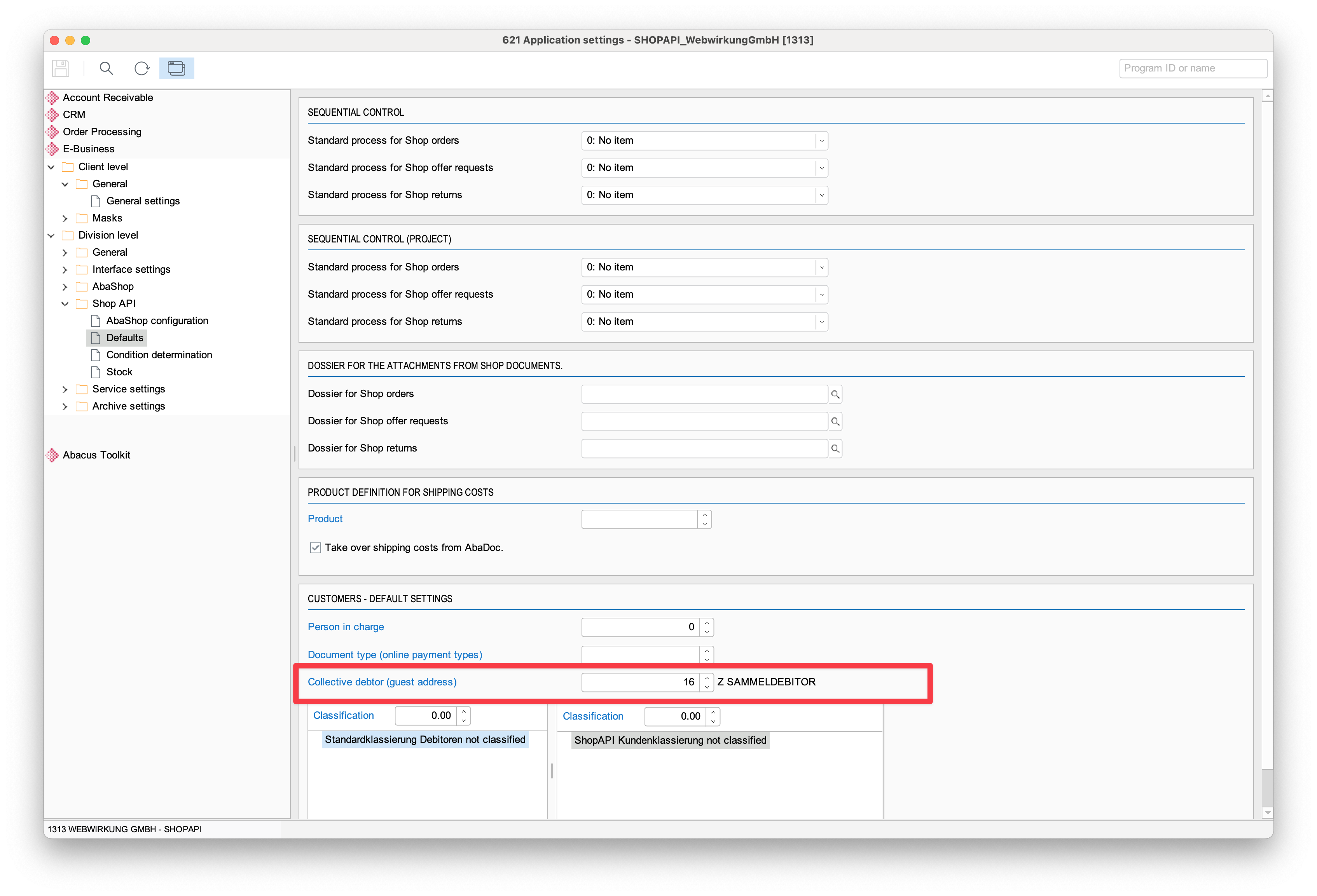
Please ensure that on the debitor itself, the checkbox "Collective debitor" is enabled.
Customer synchronization process "Shoppers"
Every 24 hours, all shoppers from Abacus are synchronized to Shopware. The synchronization is done in the background and can be triggered manually through the console.
bin/console scheduled-task:run-single webwirkung.abacus.shopper.synchronizationIn addition to the scheduled full sync, the plugin also subscribes to Abacus shopper changes and consumes them every 15 minutes. This means that changes in Abacus are quickly reflected in Shopware. This is how a correctly synchronized shopper looks in Shopware: 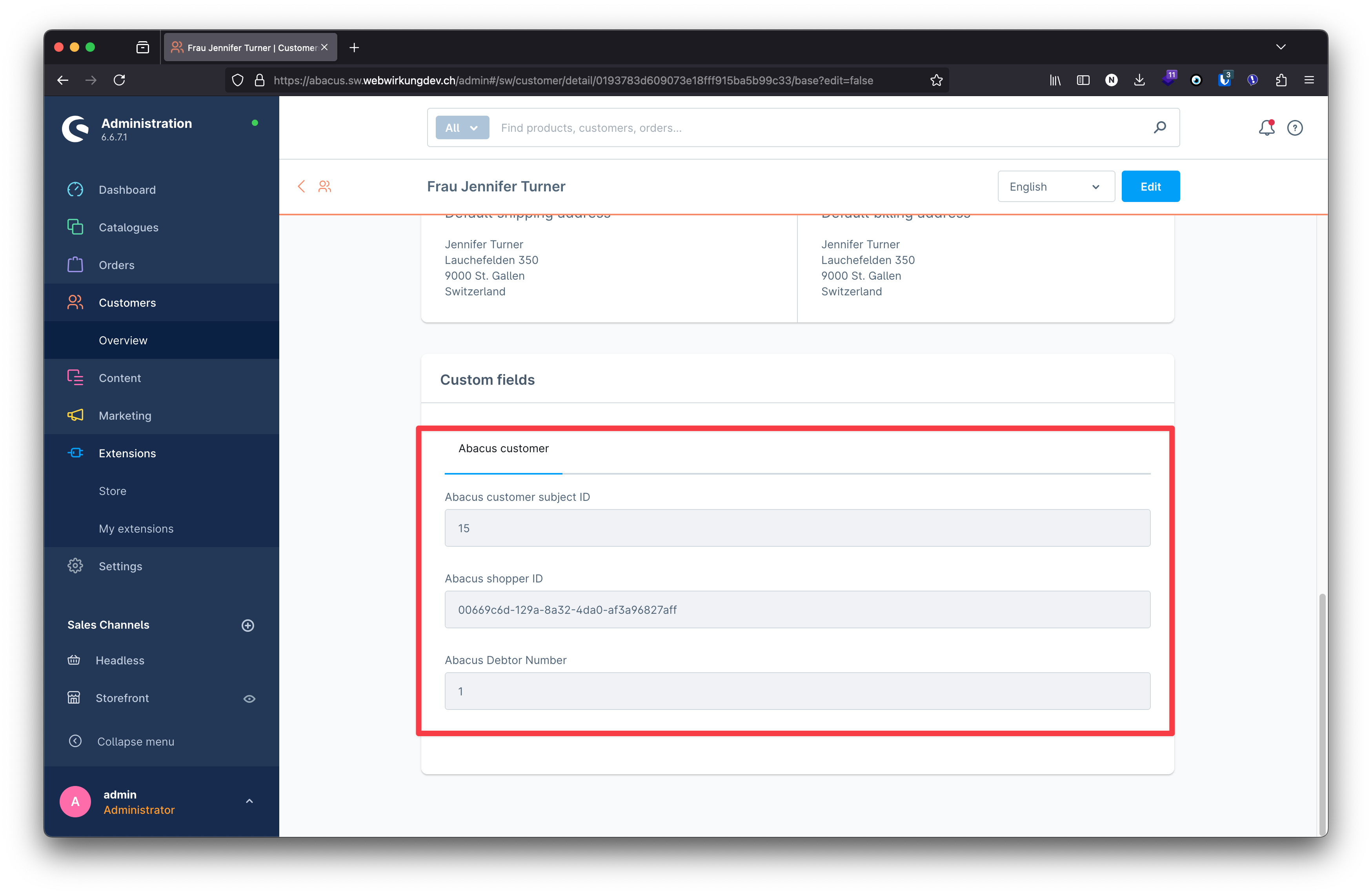 Besides the default shopware customer data, we also store the Abacus customer subject id, the abacus shopper id as well as the abacus debtor number in the custom fields of the customer entity.
Additionally, the Abacus address ID is stored in the custom fields of each customer address. This address ID is essential for properly mapping addresses when transmitting orders from Shopware to Abacus, ensuring that the correct address references are maintained between both systems.
Manually creating Shoppers with UUID "Account" in Abacus
When the shopper UUID is set to "Account" in the shopware plugin configuration (mentioned above), the plugin expects the shopper to have an email address in the "Account" field of the shopper. When creating a new shopper manually in Abacus, you need to set the email address in the "Account" field.
This is how it expects the shopper to look like in Abacus:
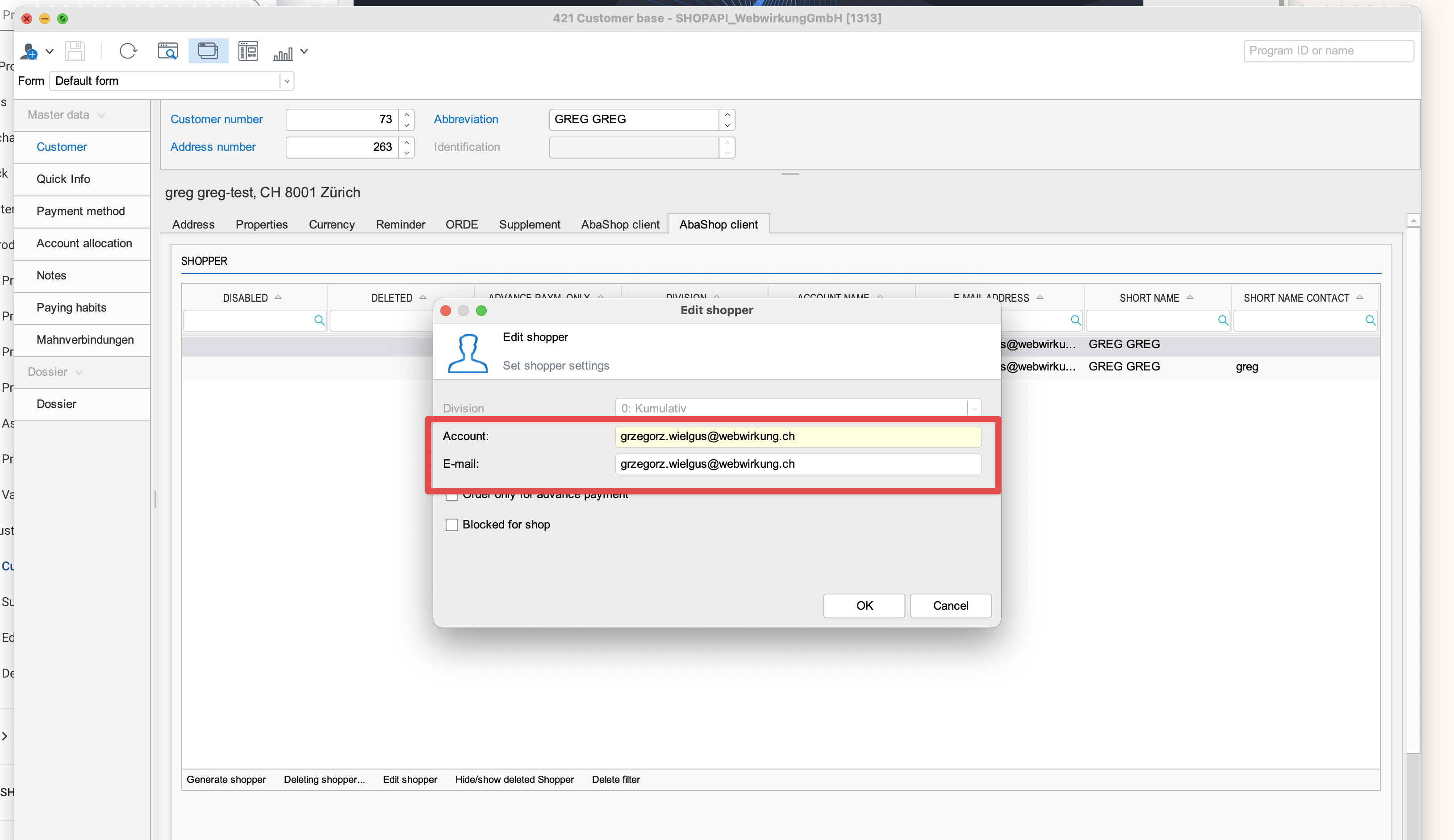
Both account and email field are filled with the email address. In German, the "Account" field is called "Kontoname".
Technical information about abacus shoppers
The abacus shopper is a concept in Abacus that represents a customer who shops in an online store. A shopper is linked to a debtor (customer) in Abacus and can have multiple addresses. Through the API, we get the following address information about a shopper.
A freshly created shopper in Abacus:
    "Id": "e6c7e1be-84c3-8926-2422-5df4d6f775a0",
    "EMail": "shopper.shoppi@webwirkung.ch",
    "Account": "shopper.shoppi@webwirkung.ch",
[...]
    "DebtorNumber": 1,
    "CustomerSubjectId": 15,
    "CustomerContactSubjectId": 292,
    "BillingSubjectId": 0,
    "BillingContactSubjectId": 0,
    "ShippingSubjectId": 0,
    "ShippingContactSubjectId": 0,
[...]
After the first order, the shopper usually gets a BillingSujectId and a ShippingSubjectId and depending on the mapping done when processing the order in Abacus, the BillingContactSubjectId and ShippingContactSubjectId are also set.
    "Id": "e6c7e1be-84c3-8926-2422-5df4d6f775a0",
    "EMail": "shopper.shoppi@webwirkung.ch",
    "Account": "shopper.shoppi@webwirkung.ch",
[...]
    "DebtorNumber": 1,
    "CustomerSubjectId": 15,
    "CustomerContactSubjectId": 0,
    "BillingSubjectId": 15,
    "BillingContactSubjectId": 292,
    "ShippingSubjectId": 15,
    "ShippingContactSubjectId": 292,
[...]
Please note that all address changes done in Shopware will require a manual intervention in Abacus in J15 before an order can be processed. Please check the order process documentation for more information.
Address duplicate recognition
During the import, we are checking if the address already exists in Shopware. For billing and shipping addresses, we are looping through all customer addresses stored in Shopware. In this loop, we are checking if the shopper has a billing/shipping address ID.
If yes, we are checking if this ID is already stored this id in the shopware address. If we have a match, then where are checking only the first name and last name(in case that we have the same address but different persons responsible for billing and shipping).
If the shopper doesn't have a billing/shipping address ID. Then we are doing a regular matching with all fields like: company name(if provided), first name, last name, street, city, zipcode, and countryId.
Address has been changed in the abacus
If the address in Shopware has an assigned abacus_address_id in the custom fields(shopper has been created in Abacus from an existing address), then the change in Abacus will be synchronized to the existing address. The only exception is when the first or last name is changed, then a new address will be created(please check the Address duplicate recognition section).
If the address in Shopware doesn't have an assigned abacus_address_id(shopper has been created without an existing address in abacus), then the change in abacus will be synchronized as a new address because of the address duplication recognition. The plugin compares all fields in the address(please check the Address duplicate recognition section).
Important: The addresses in the abacus are subjects thats why shopper subscriptions won't detect address changes in the abacus. To synchronize the abacus address change, the full shopper synchronization should be run - webwirkung.abacus.shopper.synchronization
Scheduled once on 24h
Bind customers to Sales Channel
Shopware has an option to bind customers to specific sales channels. This option allows you to assign the same email address to different sales channels in Shopware. This can be necessary in case we have two abacus instances where we have the same customer with one email address but different addresses.
In Shopware:Settings -> Log-in & sign-up There is an option to activate bind customers with sales channels: 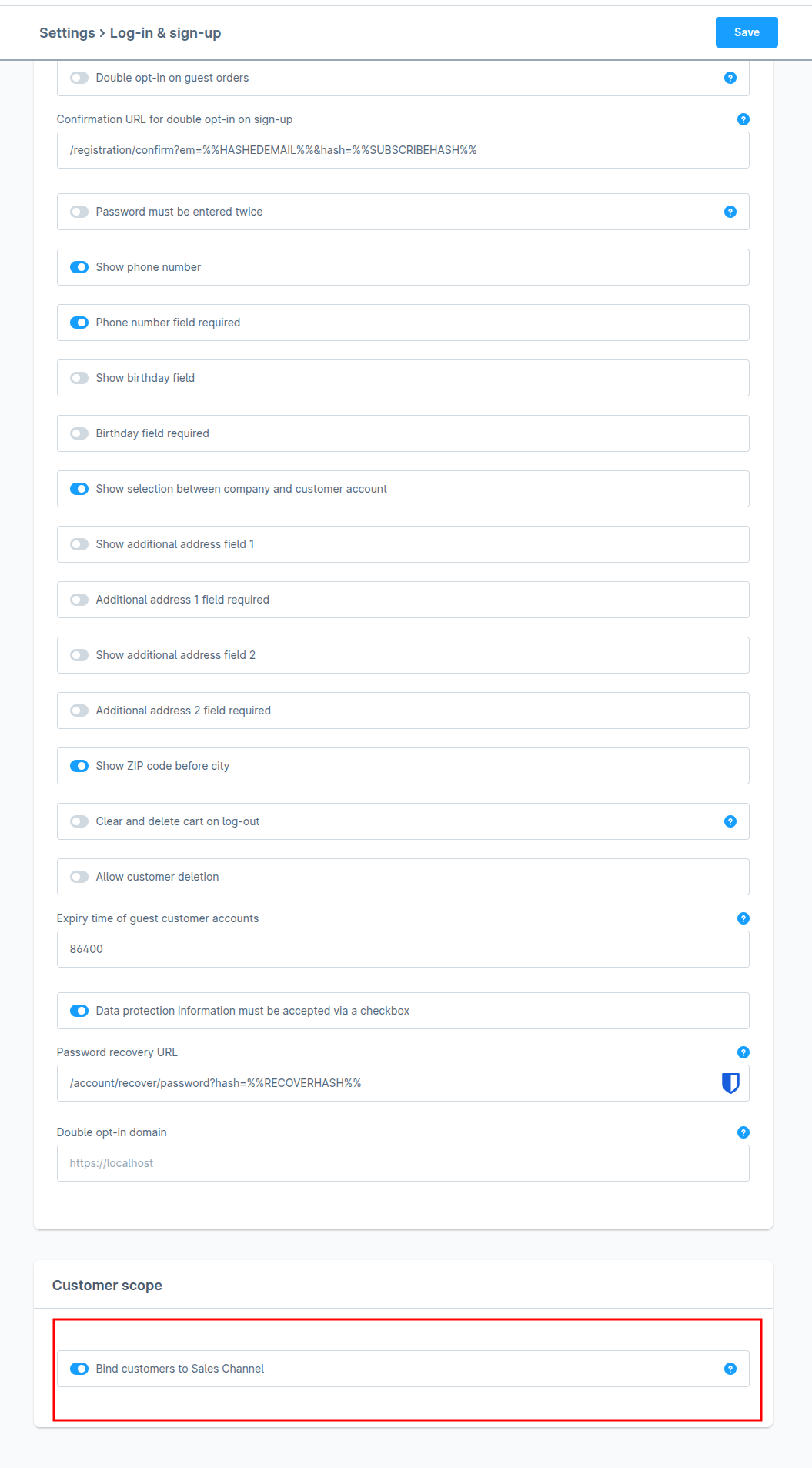 After activating this option customer will be assigned to a specific sales channel during the sign-up to the Shopware and also during the shopper synchronization from Abacus to Shopware.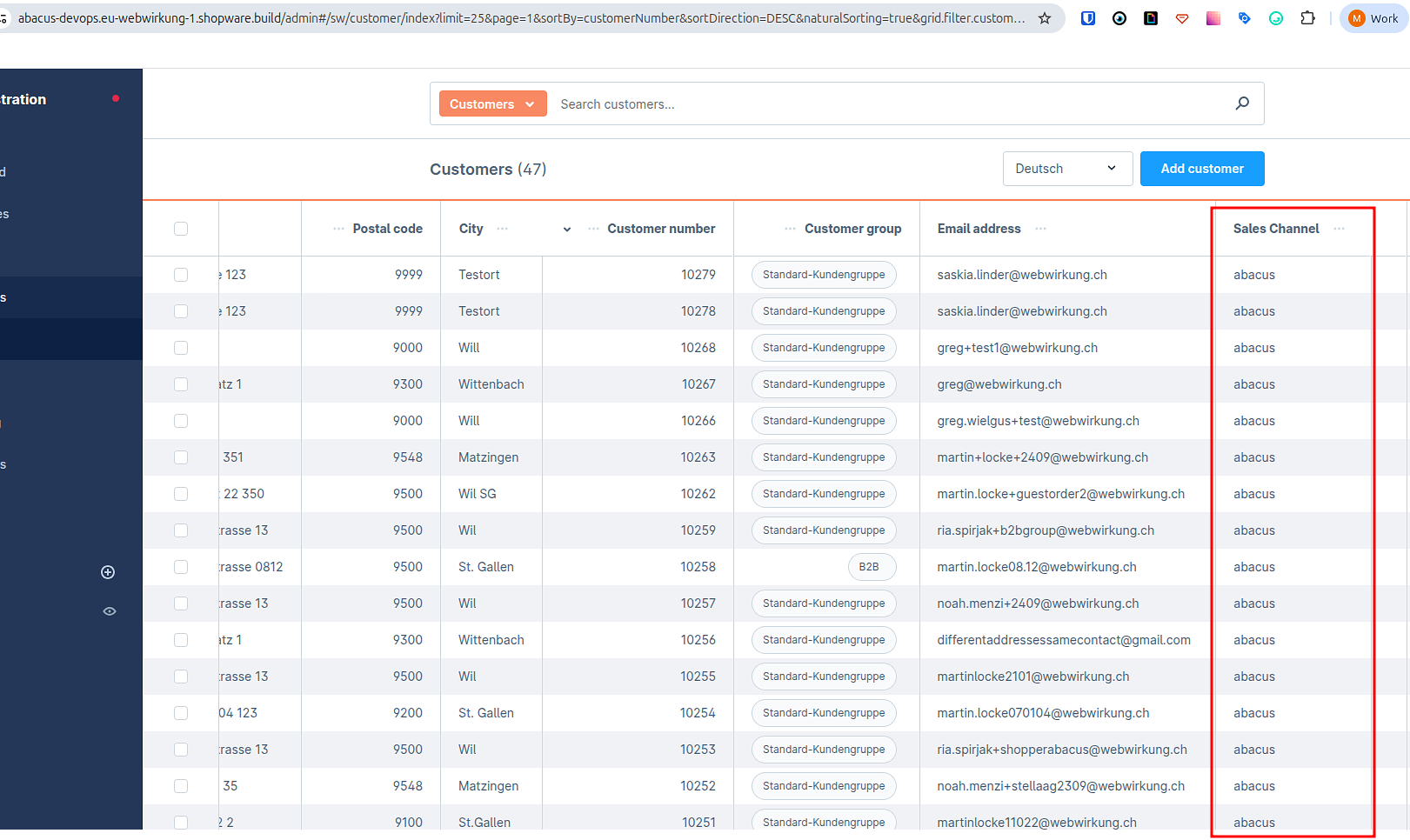
If binding will be disabled in shopware configuration, then shoppers will be assigned to all sales channels: 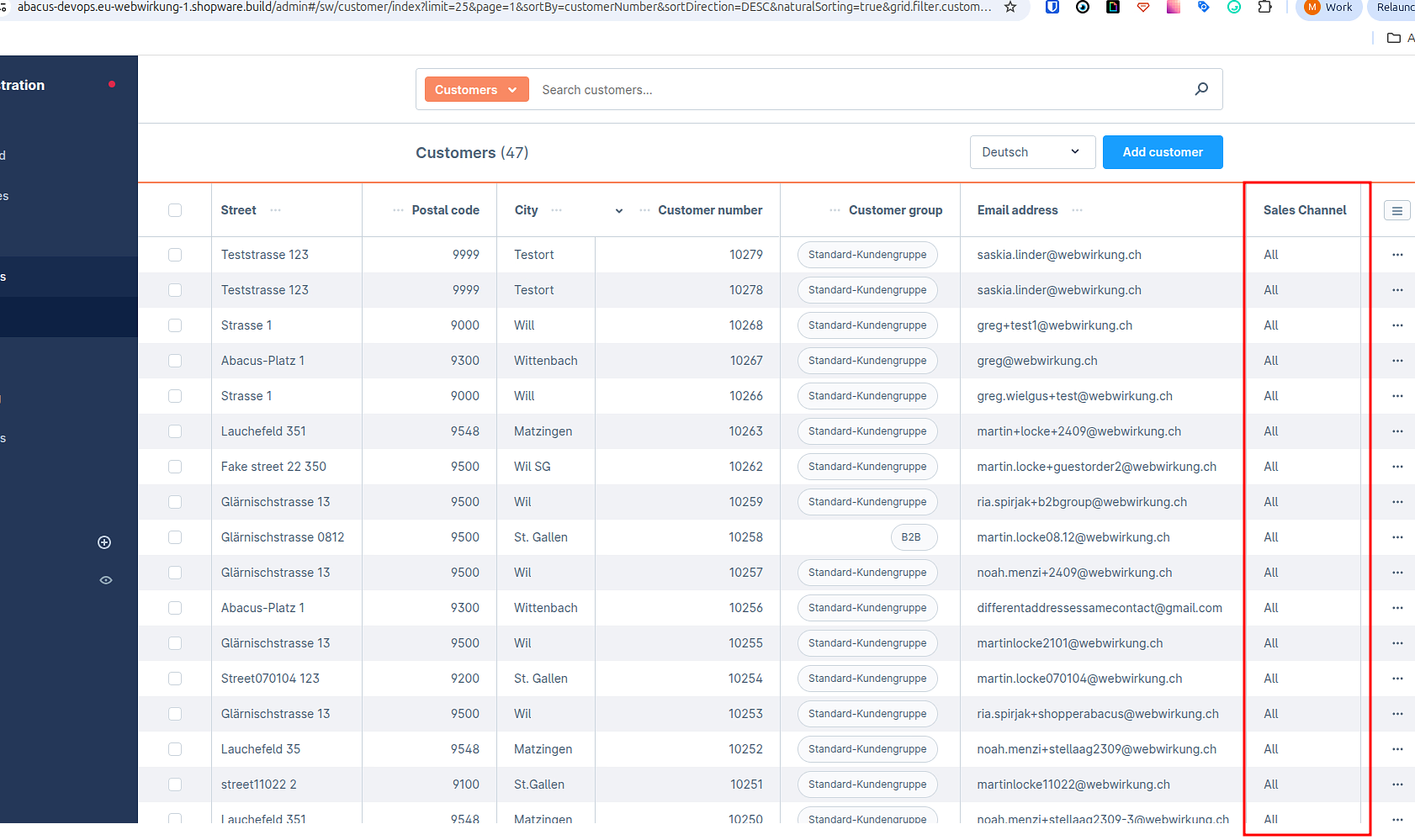
Limitations & manual steps
- "Account" is the recommended UUID. With "Email", multiple shoppers sharing one email address are not handled.
- Abacus address changes are only picked up by the 24h full sync (
webwirkung.abacus.shopper.synchronization) — not by the 30-min change subscription. - New or changed addresses must be processed manually in Abacus (J15) before an order can be converted.
- Enabling sign-up emails will send an email to every synced customer — use with care.